A lead management system that turns scattered, unaccountable used-car enquiries into a prioritised, trackable pipeline — with VOIP call logging built in.
RoleUI/UX Lead
ToolsAdobe XD · Illustrator · HTML/CSS,ASP.NET
TeamSelf-Directed + Mentor & Peers
The Brief
Challenge & Objectives
Challenge
In Barloworld Motor Retail, the absence of a structured lead management system led to inefficiencies in following up on digital leads for used car sales. There was no accountability for lead times, leading to potential loss of valuable leads and resources wasted on non-qualified prospects. Without a systematic approach, agents couldn't prioritise leads effectively or guarantee timely follow-ups — a significant drag on sales performance and customer engagement.
Objectives
Develop a comprehensive lead management system that categorises leads by quality and potential, identifies dead leads through automated rules, and prioritises genuine prospects for efficient follow-up. Integrate VOIP calls so agents can log calls, notes, and outcomes directly in the platform, and add automated alerts so timely follow-ups happen and no lead falls through the cracks.
Project Scope
A system that tracks and categorises leads, flags dead leads, prioritises genuine prospects, and integrates VOIP calls for communication tracking and accountability.
Tools
Adobe XD, Adobe Illustrator, and web technologies — HTML, CSS, and supporting backend frameworks.
Role
Leading the design and front-end build of the system, ensuring seamless VOIP integration and comprehensive lead tracking.
Team
Self-directed, with feedback from the mentor and peers.
Mapping the Flow
Four Roles, One Pipeline
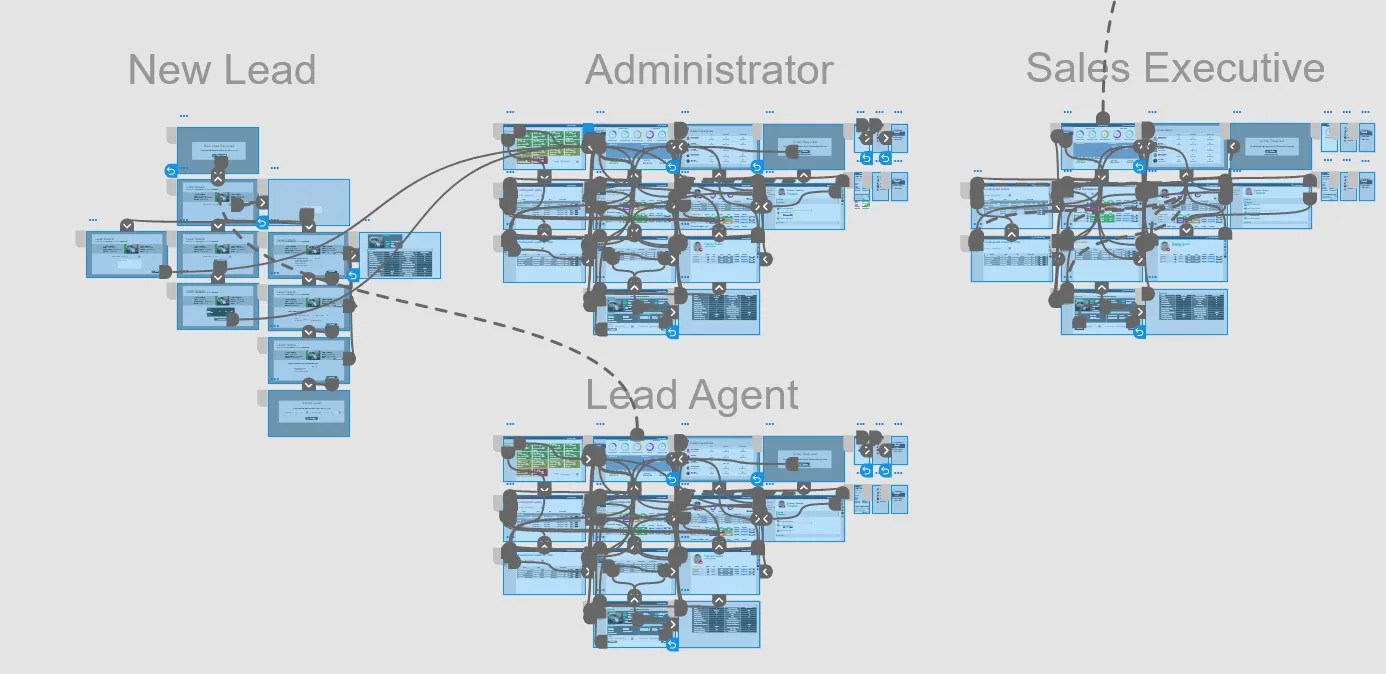
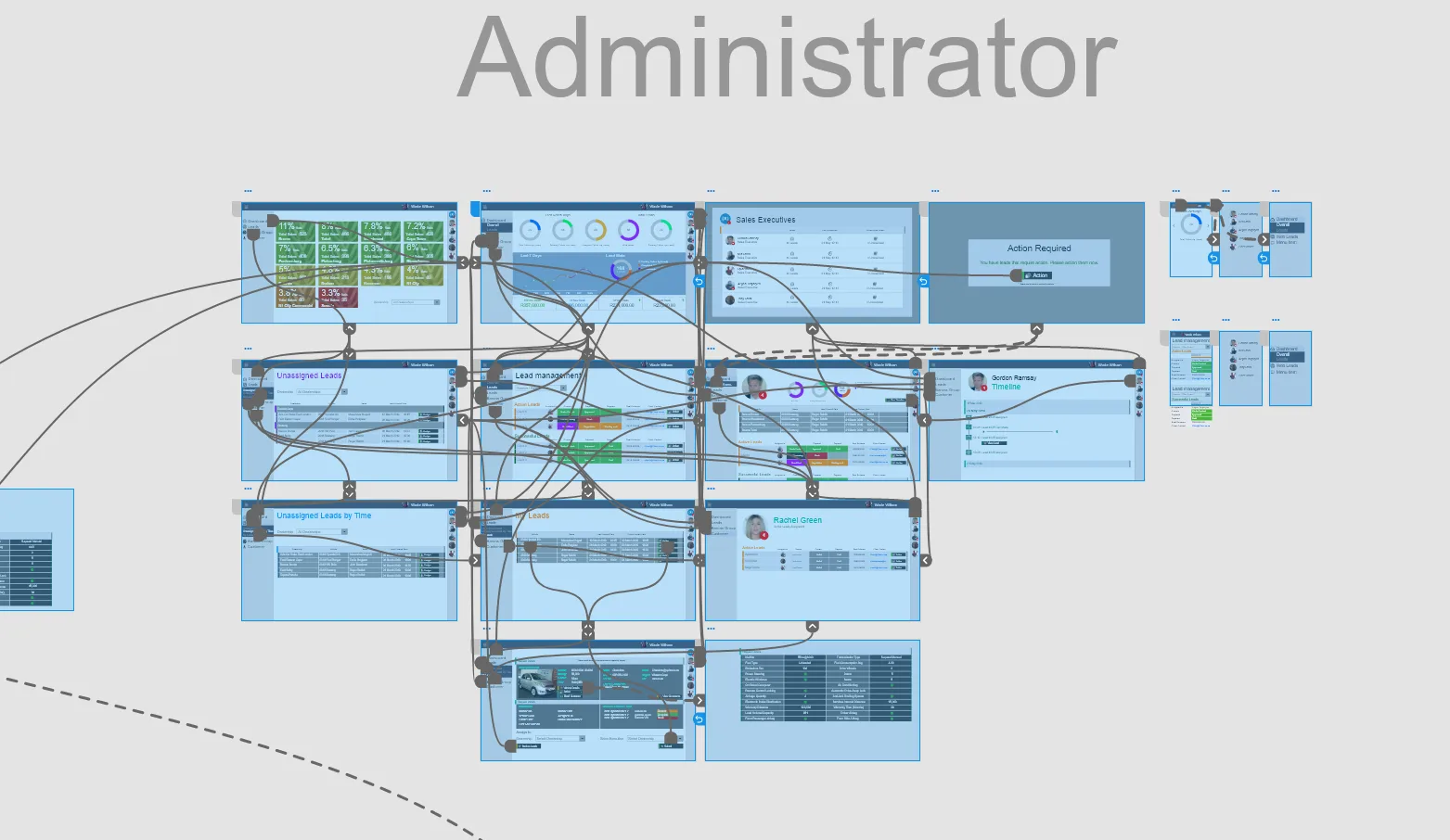
Before any screen design, I mapped how a lead moves through the business — from first capture to a sales executive closing the deal — so every role had a clear, accountable path through the system.
Role Overview — New Lead → Administrator, Sales Executive & Lead Agent
Administrator Flow — assigning, tracking, and escalating leads
The Research
Research Synthesis
To synthesise the qualitative data gathered from user interactions, I built an empathy map to identify patterns across sales agents using the LMS. This uncovered key insights, surfaced frustrations, and pointed to actionable improvements for managing digital leads efficiently.
Insights
Sales agents struggle with lead follow-ups due to a lack of accountability and tracking mechanisms.
There's no clear way to distinguish high-value leads from time-wasters, leading to inefficiencies.
Managers find it hard to monitor agent performance and ensure timely follow-ups.
The absence of integrated call tracking makes it hard to assess lead engagement and conversion.
Needs
An automated system that prioritises and categorises leads for efficient follow-ups.
Performance-tracking tools so managers can ensure accountability and optimise response times.
Integrated VOIP functionality to track call logs and maintain a communication history.
An automated escalation process to handle neglected or stale leads.
Going Deeper
Research & Strategy
Plan & Goals
Understand the challenges sales agents face in managing and following up on leads effectively.
Develop a structured system that categorises, prioritises, and ensures accountability for every follow-up.
Identify the features that most directly improve response times, lead tracking, and agent performance.
Assumptions → Findings
Tap a row to see what the research found.
0 / 3 revealed
✓ Confirmed
Agents required a clear, structured follow-up process to avoid missed opportunities. The research confirmed that without a prioritised queue, valuable leads were consistently deprioritised or forgotten.
✓ Confirmed
Managers confirmed they had no real-time view of agent call logs or lead status. Integrating VOIP logging directly into the LMS gave managers the visibility they needed without adding reporting overhead to agents.
✓ Confirmed
Agents acknowledged spending significant time on leads with no engagement history. Automated flagging of stale leads freed agents to focus on qualified prospects and measurably improved response times.
Methodology
CRM benchmarking — reviewed leading sales CRM tools (Salesforce, HubSpot, Pipedrive) to identify best-practice lead prioritisation and pipeline patterns.
Process audit — mapped the existing manual follow-up process to identify where leads were dropped and accountability was lost.
VOIP integration research — assessed call-logging capabilities and how they could be embedded into a lead card without disrupting agent flow.
Agent interviews — conducted structured sessions with 5 sales agents to understand their daily lead management workflow and biggest frustrations.
Manager shadowing — observed a team leader's morning briefing to understand how performance was currently tracked and communicated.
Prototype testing — validated the lead card and call-log interactions with agents using mid-fidelity prototypes before moving to build.
Design Principle
"Every lead deserves a next action."
Every screen in the LMS was designed to make the next step obvious — whether that's calling, logging, escalating, or closing. No lead should leave a session without a status.
The Product
Final Designs
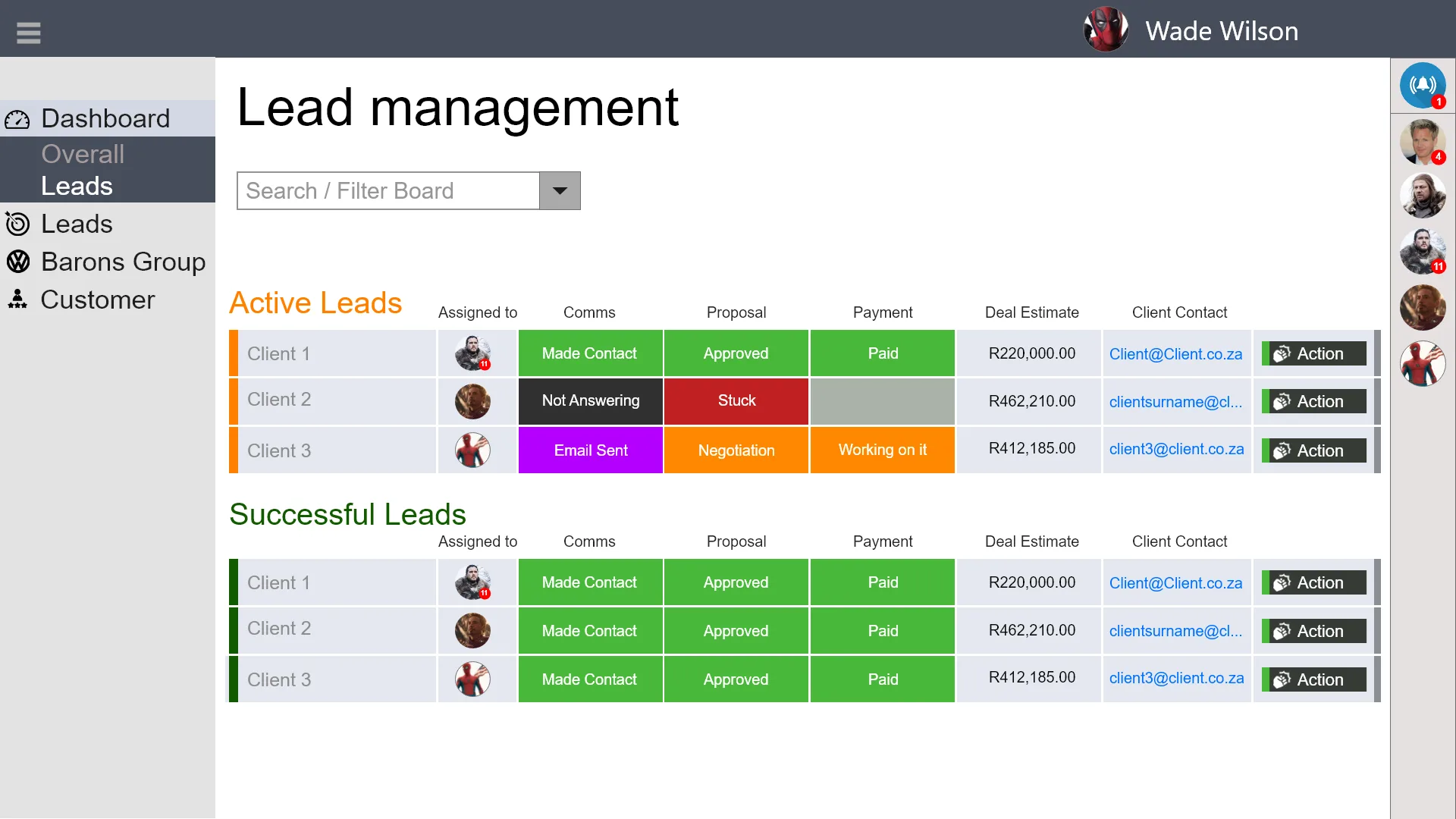
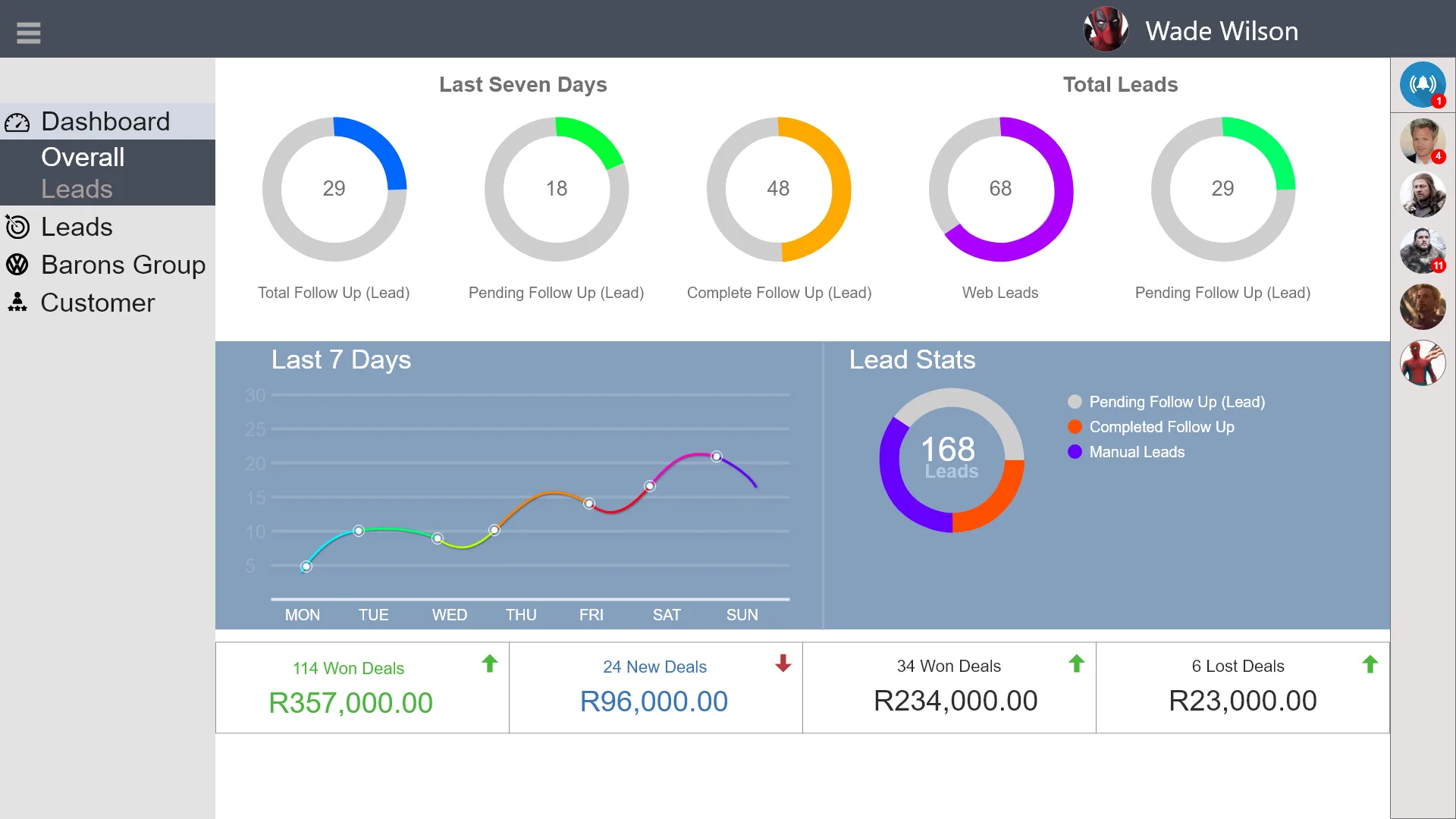
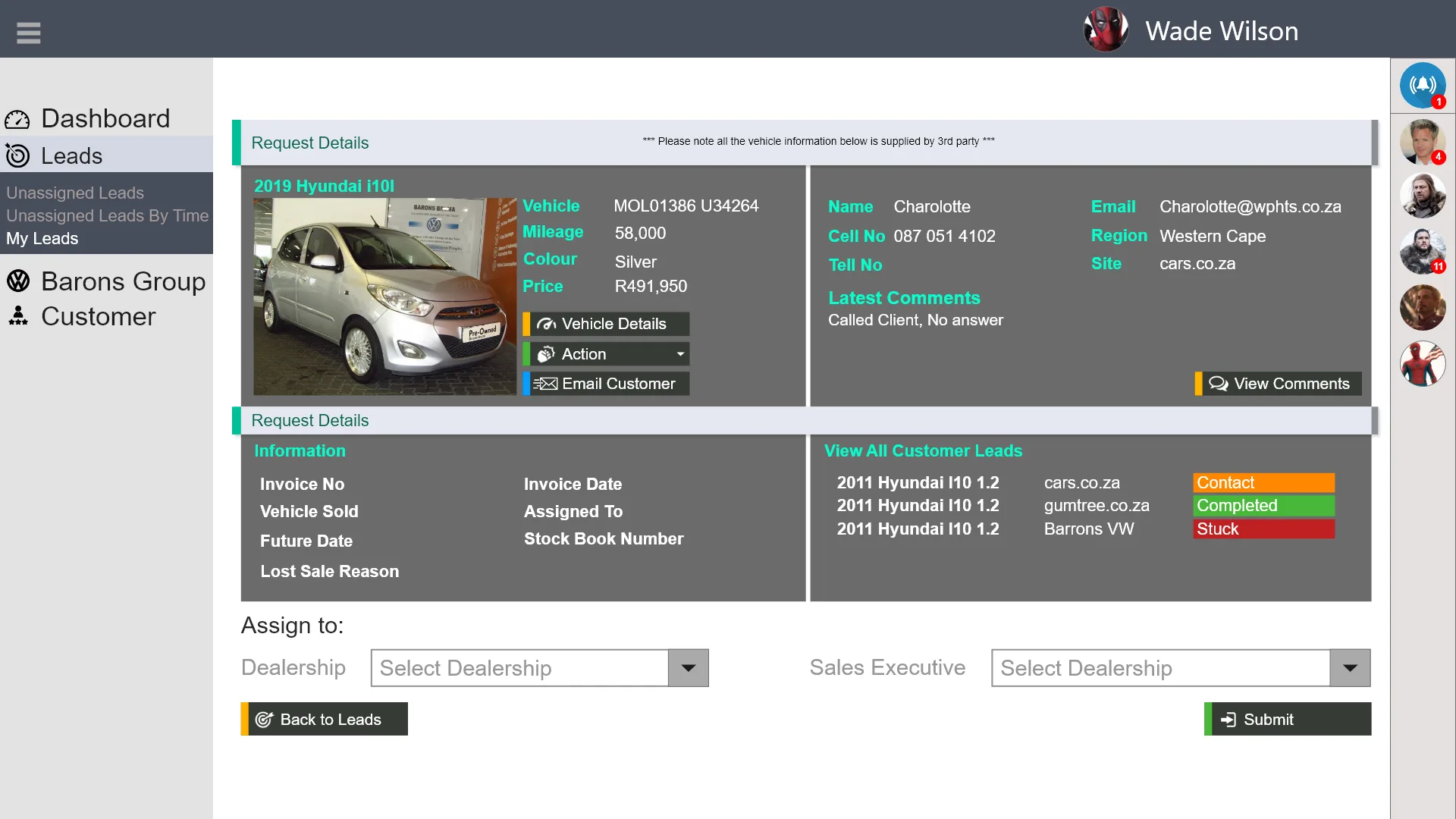
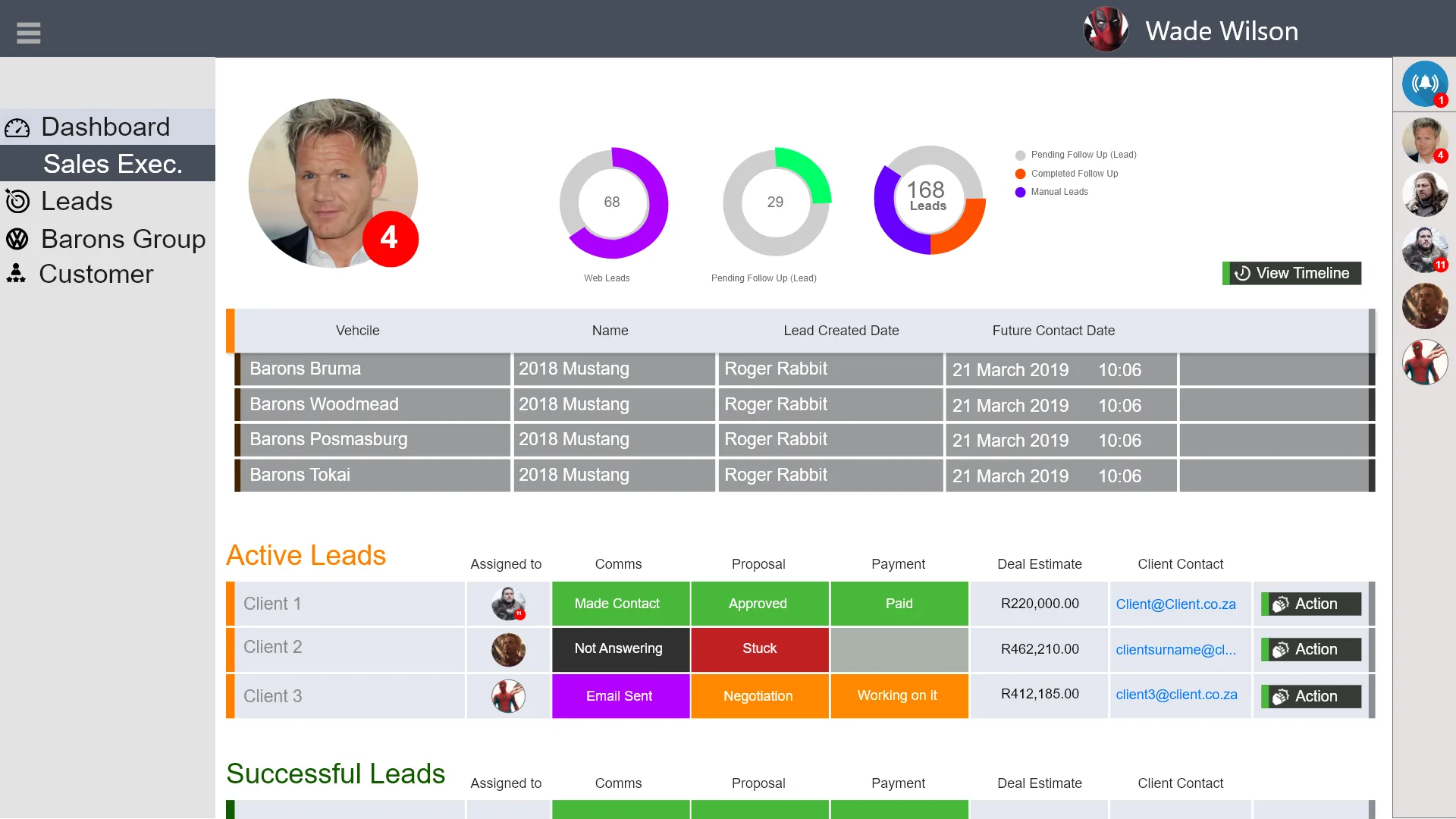
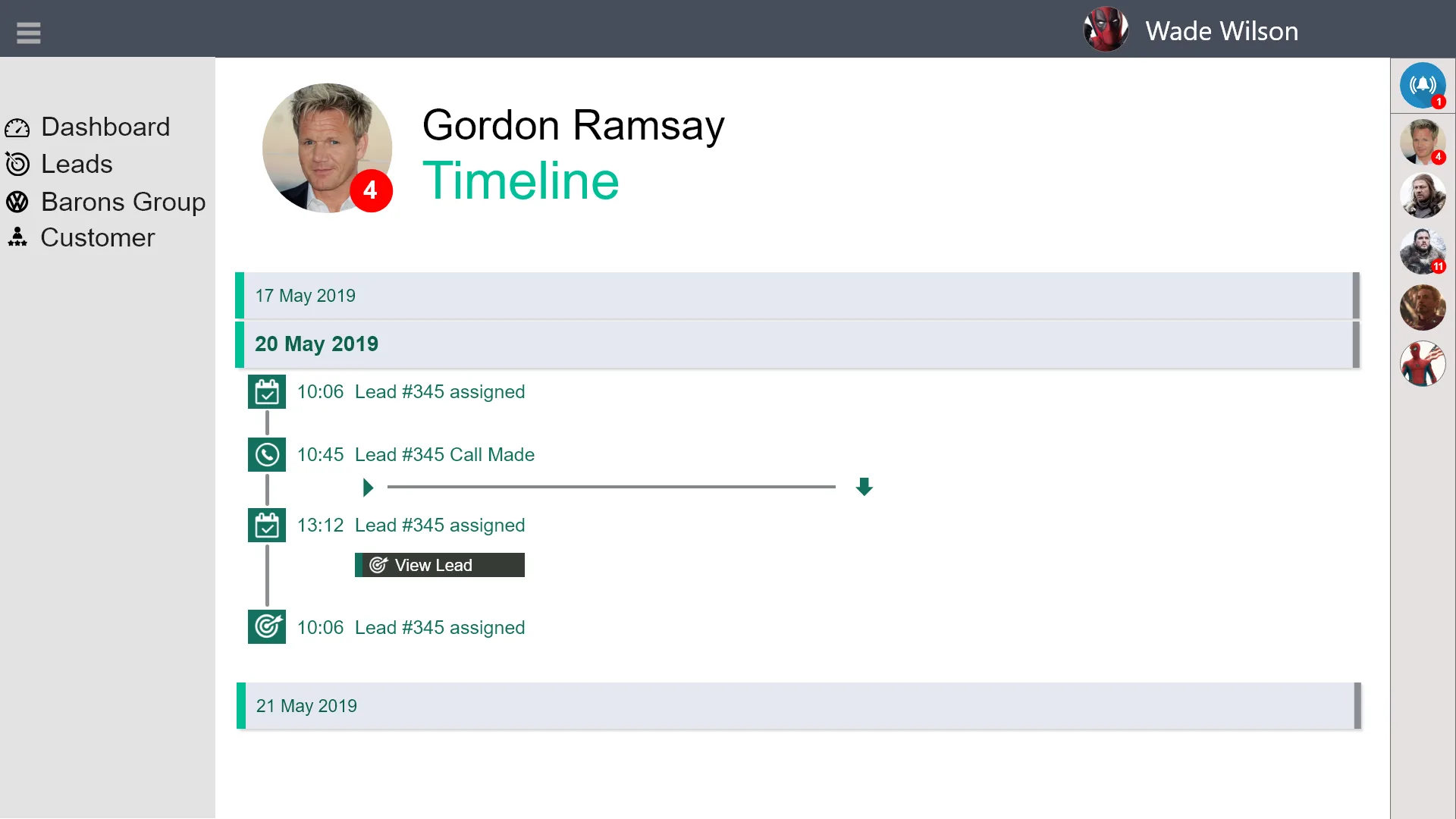
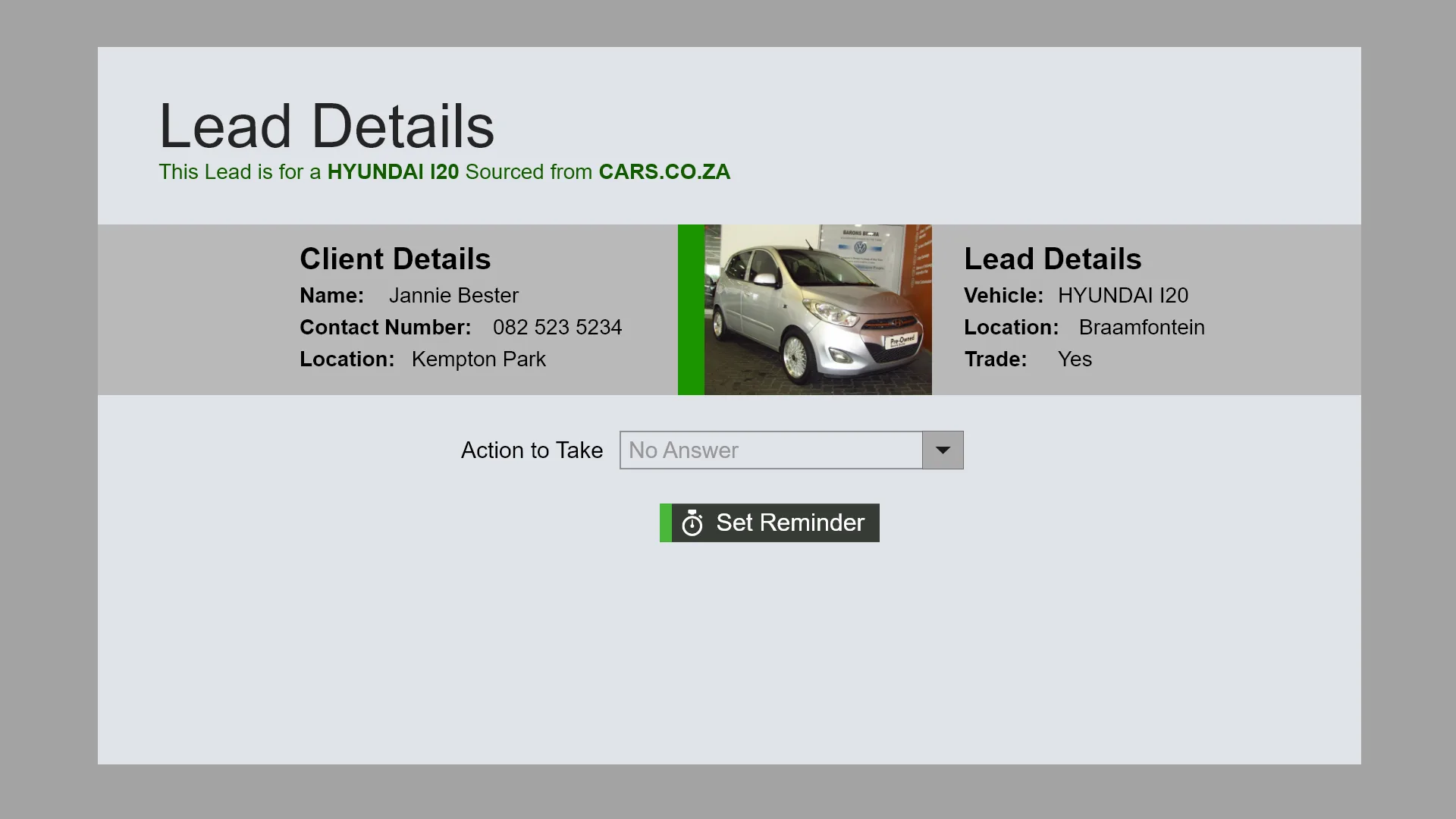
The LMS in action — lead queues, call logs, pipeline views, and the manager dashboard that ties it all together.
Lead Queue
Lead Card & Call Log
Pipeline View
Manager Dashboard
Dead Lead Rules
Activity Report
Lead Queue
Lead Card & Call Log
Pipeline View
Manager Dashboard
Dead Lead Rules
Activity Report
Outcome
What We Built
A lead management system that turns scattered, unaccountable enquiries into a structured, trackable pipeline — with VOIP call logging and automated escalation built in from day one.